


Behind every party rental website that consistently appears at the top of local search results lies a foundation of sound technical SEO. While many business owners focus on adding content and collecting reviews, the underlying technical structure of your website determines whether Google can even find, understand, and rank your pages properly.
Technical SEO isn’t glamorous. Nobody books a bounce house because your XML sitemap is perfectly configured. But when your website has technical issues—broken links, crawl errors, missing tags, slow mobile performance—Google struggles to show your site to people actively searching for your services. Those potential customers never even see you as an option.
For party rental operators who depend on local search visibility to drive bookings, technical SEO forms the invisible infrastructure that makes everything else work. Your beautiful inventory photos, compelling service descriptions, and glowing reviews can only help if Google can properly crawl and index them.
This comprehensive checklist covers 75 technical elements worth reviewing on your party rental website. You don’t necessarily need to address all 75 immediately—prioritize based on what’s actually broken versus what’s merely imperfect. But understanding what to look for puts you in a stronger position to maintain a healthy website that serves your business goals.
Why Technical SEO Matters for Party Rental Businesses
Party rental companies face specific technical SEO challenges that make regular audits particularly valuable.
Inventory changes constantly. You add new bounce houses, retire damaged equipment, adjust pricing seasonally, and update availability. Each change creates opportunities for technical issues—broken internal links, orphaned pages, outdated structured data.
Local competition is fierce. In most markets, a handful of party rental companies compete for visibility in the same geographic area. Technical SEO problems that prevent proper indexing or hurt rankings hand advantages to competitors who maintain cleaner websites.
Seasonal traffic patterns amplify problems. When spring arrives and booking inquiries surge, any technical issues limiting your visibility cost you real revenue during your most profitable months. Discovering crawl errors in April means you’ve already lost peak-season bookings.
Mobile users dominate your traffic. Parents searching for party rentals are typically on phones, often while managing kids or commuting. Technical issues affecting mobile experience directly impact your primary audience.
Regular technical audits catch problems before they cost you bookings. The checklist below organizes 75 review points into logical categories, making systematic evaluation manageable even for non-technical business owners.
Crawlability and Indexing (12 Points)
These foundational elements determine whether search engines can find and access your pages at all.
- Robots.txt file exists and is properly configured Your robots.txt file tells search engines which parts of your site they can access. Verify it exists at yourdomain.com/robots.txt and isn’t accidentally blocking important pages.
- No critical pages blocked by robots.txt Review your robots.txt to ensure inventory pages, service area pages, and booking pages aren’t inadvertently blocked from crawling.
- XML sitemap exists and is accessible Your sitemap helps search engines discover all your pages efficiently. Confirm it exists at yourdomain.com/sitemap.xml or a similar standard location.
- Sitemap submitted to Google Search Console Having a sitemap isn’t enough—submit it through Search Console so Google knows where to find it.
- Sitemap includes all important pages Your sitemap should include inventory pages, service pages, location pages, and key informational content. Verify nothing important is missing.
- Sitemap excludes thin or duplicate content Pages with minimal content or duplicate information shouldn’t appear in your sitemap, as they can dilute crawl budget.
- No crawl errors in Google Search Console Check Search Console’s coverage report for crawl errors. Server errors, redirect issues, and blocked pages all need attention.
- Important pages are being indexed Search “site:yourdomain.com” in Google to see what’s actually indexed. Verify your key pages appear in results.
- No unintended noindex tags Some pages may have noindex meta tags that prevent indexing. Audit important pages to ensure they’re set to be indexed.
- Crawl budget isn’t wasted on low-value pages If you have many tag pages, archive pages, or parameter variations, they may consume crawl budget better spent on important content.
- No infinite crawl traps Calendar widgets, filter combinations, and session IDs can create endless URL variations that waste crawler resources.
- Google can render JavaScript content If your site relies heavily on JavaScript, verify Google can actually see the rendered content using Search Console’s URL Inspection tool.
Site Architecture and URL Structure (10 Points)
How your site is organized affects both user experience and search engine understanding.
- Logical site hierarchy Your site should have a clear structure: Homepage → Category Pages → Individual Item/Service Pages. For party rental sites, this often means groupings like Inflatables, Tables & Chairs, Games, etc.
- Important pages within three clicks of homepage Pages buried deep in your site structure receive less authority and may be crawled less frequently. Key inventory and service pages should be easily accessible.
- Clean, descriptive URLs URLs should be readable and include relevant keywords. “yourdomain.com/bounce-houses/princess-castle” is better than “yourdomain.com/product?id=4582.”
- Consistent URL structure Use consistent patterns across similar pages. If some inventory pages use /rentals/item-name and others use /products/item-name, standardize.
- No URL parameters creating duplicate content Session IDs, tracking parameters, and sort options can create multiple URLs for identical content. Use canonical tags or parameter handling to address this.
- Lowercase URLs throughout URLs are case-sensitive to search engines. “YourDomain.com/Bounce-Houses” and “yourdomain.com/bounce-houses” are technically different URLs.
- Hyphens used as word separators Use hyphens (-) rather than underscores (_) in URLs. Search engines treat hyphens as word separators.
- No special characters in URLs Avoid spaces, apostrophes, and special characters that can cause encoding issues and look unprofessional.
- Reasonable URL length Extremely long URLs can be truncated in search results and are harder to share. Keep URLs under 75 characters when possible.
- Breadcrumb navigation implemented Breadcrumbs help users navigate and provide additional context to search engines about your site structure.
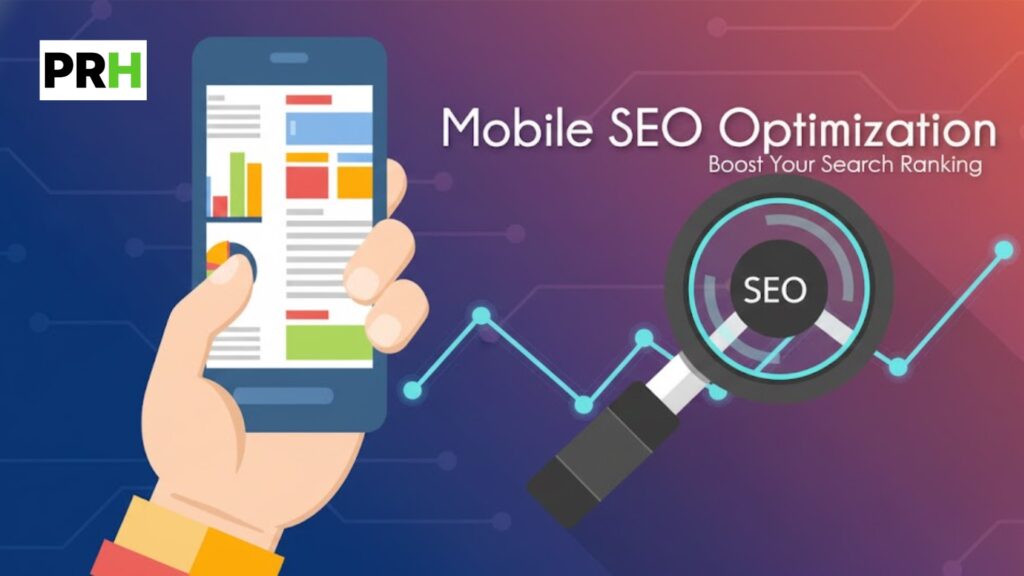
Mobile Optimization (10 Points)
With most party rental searches happening on phones, mobile technical performance is essential.
- Mobile-responsive design implemented Your site should automatically adjust to different screen sizes rather than serving a separate mobile site.
- Viewport meta tag properly configured This tag tells browsers how to scale your page on different devices. Verify it’s present and correctly set.
- Text readable without zooming Font sizes should be large enough to read on mobile screens without pinching to zoom.
- Tap targets appropriately sized Buttons and links need sufficient size and spacing for finger taps. Too-small targets frustrate mobile users and hurt engagement.
- No horizontal scrolling required Content should fit within the screen width on mobile devices without requiring side-to-side scrolling.
- Mobile page speed acceptable Test mobile performance specifically—mobile connections and devices are typically slower than desktop.
- No intrusive mobile interstitials Pop-ups that cover content on mobile can trigger Google penalties and frustrate users.
- Mobile navigation functions properly Test your menu, filters, and navigation elements on actual mobile devices to ensure they work correctly.
- Forms usable on mobile Booking inquiry forms and contact forms should be easy to complete on small screens with appropriate input types.
- Images properly sized for mobile Serving desktop-sized images to mobile devices wastes bandwidth and slows loading. Use responsive images that adapt to screen size.
Page Speed and Performance (10 Points)
Fast-loading pages improve both user experience and search rankings.
- Server response time under 200ms Time to First Byte (TTFB) measures how quickly your server begins responding. Slow server response delays everything else.
- Total page size reasonable Pages over 3-4MB are typically too heavy. Audit your largest pages and identify what’s adding weight.
- Images optimized and compressed Images are usually the largest files on party rental sites. Ensure they’re appropriately compressed without visible quality loss.
- Browser caching enabled Caching allows returning visitors to load your site faster by storing resources locally. Verify caching headers are configured.
- CSS and JavaScript minified Minification removes unnecessary characters from code files, reducing file sizes.
- Render-blocking resources minimized Resources that block page rendering delay visible content. Defer or async load non-critical scripts where possible.
- Content Delivery Network (CDN) utilized CDNs serve content from locations closer to visitors, improving load times especially for geographically distributed audiences.
- No unnecessary redirects in page load Each redirect adds delay. Eliminate redirect chains and ensure internal links point to final destinations.
- Third-party scripts audited Analytics, chat widgets, and marketing tools can significantly impact performance. Audit what’s loading and remove unused scripts.
- Lazy loading implemented for below-fold images Images not immediately visible don’t need to load immediately. Lazy loading defers them until needed.
On-Page Technical Elements (12 Points)
These elements help search engines understand what each page is about.
- Unique title tags on every page Each page needs a distinct title tag that accurately describes its content. Duplicate titles confuse search engines.
- Title tags under 60 characters Longer titles get truncated in search results. Keep them concise while including key information.
- Meta descriptions present on key pages While not a direct ranking factor, meta descriptions influence click-through rates from search results.
- Meta descriptions under 160 characters Longer descriptions get cut off. Write compelling summaries that fit the available space.
- H1 tags present and unique per page Each page should have one H1 tag that clearly identifies the page topic.
- Logical heading hierarchy (H1→H2→H3) Headings should follow a logical structure that helps both users and search engines understand content organization.
- Alt text on all meaningful images Image alt text helps search engines understand images and provides accessibility for visually impaired users.
- Alt text descriptive and natural Alt text should describe the image accurately, not just stuff keywords. “Red princess bounce house with slide” is better than “bounce house rental cheap.”
- Internal links using descriptive anchor text Links saying “click here” waste an opportunity. “View our water slide rentals” provides context about the linked page.
- No broken internal links Broken links frustrate users and waste crawl budget. Regularly audit for 404 errors on internal links.
- External links functioning and relevant If you link to external resources, verify those links still work and remain relevant.
- Canonical tags properly implemented Canonical tags tell search engines which version of similar pages should be indexed. Verify they’re present and pointing correctly.
Schema and Structured Data (8 Points)
Structured data helps search engines understand your content and can enhance how you appear in search results.
- LocalBusiness schema implemented This fundamental structured data type identifies your business name, address, phone number, and business category.
- Organization schema present Organization markup provides additional business information and helps establish entity recognition.
- Service schema for rental offerings Service schema can describe your specific rental services and their characteristics.
- Product schema for individual items If you display pricing for individual rental items, product schema can help that information appear in search results.
- Review schema for testimonials If you display reviews on your site, review schema can enable star ratings to appear in search results.
- FAQ schema where appropriate If you have FAQ content, this schema can generate expanded listings in search results.
- No schema validation errors Test your structured data using Google’s Rich Results Test to identify any syntax errors.
- Schema matches visible page content Structured data must accurately reflect what’s on the page. Mismatches can result in penalties.
Security and HTTPS (6 Points)
Security is both a ranking factor and essential for user trust.
- HTTPS enabled site-wide Your entire site should load over HTTPS, not just checkout or contact pages.
- Valid SSL certificate Your certificate should be current and properly configured. Expired or misconfigured certificates trigger browser warnings.
- No mixed content warnings When HTTPS pages load resources (images, scripts) over HTTP, browsers flag this as mixed content.
- HTTP to HTTPS redirects functioning HTTP requests should automatically redirect to HTTPS versions to ensure users always reach the secure site.
- HSTS header implemented HTTP Strict Transport Security tells browsers to always use HTTPS, adding another layer of security.
- No security vulnerabilities in CMS or plugins Keep your website platform and any plugins updated to patch known security vulnerabilities.
Local SEO Technical Elements (10 Points)
For party rental businesses, local technical SEO elements directly impact visibility in your service area.
- NAP consistency across site Your business name, address, and phone number should appear identically everywhere on your site.
- Service area pages for each location served If you serve multiple cities or neighborhoods, dedicated pages help you rank for location-specific searches.
- Location pages have unique, valuable content Each location page should offer distinct content—not just the city name swapped into identical templates.
- Google Business Profile linked from website A link between your website and GBP helps establish connection and provides user convenience.
- Embedded Google Map present An embedded map helps users and signals location relevance to search engines.
- Local phone number displayed prominently Local area codes signal geographic relevance. Display your number where users can easily find it.
- Click-to-call functionality on mobile Phone numbers should be tappable on mobile devices to initiate calls directly.
How to Prioritize Your Audit Findings
Discovering 75 potential issues would overwhelm anyone. Prioritization makes the audit actionable.
Critical issues to fix first:
Anything preventing indexing of important pages takes top priority. If Google can’t see your inventory pages, nothing else matters. Check for robots.txt blocking, noindex tags, and crawl errors affecting key pages.
Security issues come next. A missing or expired SSL certificate damages trust and triggers browser warnings that scare away potential customers.
Mobile functionality problems rank high because most of your traffic comes from phones. If mobile users can’t navigate or complete inquiries, you’re losing bookings.
Important but not urgent:
Schema markup errors should be fixed but won’t break your site. They represent missed opportunities rather than active problems.
Minor speed optimizations matter but can be addressed incrementally. A page loading in 3 seconds isn’t ideal but isn’t an emergency if other technical fundamentals are sound.
URL structure improvements often require careful planning to avoid breaking existing links and rankings. These are worth addressing during site redesigns rather than as isolated fixes.
Nice to have:
Perfect heading hierarchies and ideal URL lengths are best practices worth implementing on new pages but rarely justify reworking existing content that’s performing adequately.
Tools for Conducting Your Audit
Several free and paid tools can help systematically check these items.
Google Search Console provides direct insight into how Google sees your site, including crawl errors, indexing status, and mobile usability issues. Every party rental website should have this connected.
Google PageSpeed Insights evaluates page speed and provides specific recommendations for improvement.
Screaming Frog SEO Spider (free for sites under 500 URLs) crawls your site and identifies technical issues like broken links, missing tags, and duplicate content.
Google’s Rich Results Test validates your structured data markup and shows any errors.
Mobile-Friendly Test confirms whether Google considers your pages mobile-friendly.
GTmetrix provides detailed page speed analysis and identifies specific resources slowing your site.
For party rental operators without technical expertise, these tools provide data you can share with a web developer to guide improvements.

Common Technical SEO Mistakes in Party Rental Websites
Certain patterns appear repeatedly when auditing party rental websites.
Orphaned inventory pages occur when you add new items but forget to link them from category pages or navigation. These pages may never be found by search engines.
Seasonal content left to rot happens when holiday-specific landing pages from last year still exist with outdated information and broken internal links.
Multiple domain issues arise when businesses have both www and non-www versions accessible, or old domains that were never properly redirected after rebranding.
Plugin bloat accumulates over time as you add tools for chat, analytics, booking, social sharing, and marketing automation—each adding scripts that slow your site.
Duplicate service area pages result from wanting to rank in many cities but creating pages with nearly identical content, just swapping city names.
Neglected staging sites that are accidentally indexed by search engines create duplicate content issues with your production site.
Creating an Audit Schedule
One-time audits provide snapshots, but ongoing monitoring catches problems as they emerge.
Monthly quick checks: Review Google Search Console for new crawl errors, security issues, or manual actions. This takes 15 minutes and catches emerging problems early.
Quarterly reviews: Check page speed on key landing pages, verify mobile functionality, and test your booking/contact forms. Audit for broken links and review your most important pages in Search Console.
Annual comprehensive audits: Run through the full 75-point checklist annually, ideally before your peak season begins. This systematic review catches issues that accumulate over time and identifies optimization opportunities.
After major changes: Any time you redesign your site, change hosting, add significant new functionality, or update your CMS, run through relevant checklist sections to verify nothing broke.
When Technical Issues Require Professional Help
Some technical problems have straightforward fixes that anyone can handle—updating alt text, fixing broken links, or adding meta descriptions. Others require developer expertise.
Server configuration issues, redirect implementations, JavaScript rendering problems, and complex site architecture changes typically need professional attention. Attempting these without appropriate skills risks making problems worse.
When hiring technical help, the audit you’ve conducted provides valuable documentation. You can share specific findings rather than vaguely asking someone to “fix SEO problems.” This leads to more accurate quotes and ensures the right issues get prioritized.
Look for developers or agencies with specific experience in technical SEO, not just general web development. The skills overlap but aren’t identical—someone can be an excellent designer but inexperienced with crawl optimization or structured data.
The Payoff of Technical Excellence
Technical SEO doesn’t generate bookings directly. Parents don’t choose your bounce house rental because your canonical tags are properly configured. But technical excellence creates the foundation that allows everything else to work.
When search engines can efficiently crawl and index your site, your content and reputation have the opportunity to rank. When your pages load quickly on mobile devices, visitors stay long enough to see what you offer. When your site is secure and functions properly, potential customers develop confidence in your business.
Party rental operators who maintain technically sound websites compete on more level ground with larger competitors. The company with the bigger marketing budget but the broken website doesn’t automatically win. Technical fundamentals can be an equalizer that allows smaller operations to punch above their weight in local search results.
The 75 points in this checklist represent the complete picture of technical health. You don’t need perfection on every item—but you do need awareness of what matters and the discipline to address problems before they cost you peak-season bookings.
Start with what’s broken, prioritize what affects users, and build toward technical excellence over time. Your future customers—and your search rankings—will reflect the investment.