

The structure of your website content matters more than most party rental business owners realize. When a parent lands on your bounce house rental page, they scan the page quickly—looking for pricing, availability, safety information, and whether you serve their area. How you organize that content with header tags determines both whether visitors find what they need and whether search engines understand what your page offers.
Header tags (H1 through H6) create a hierarchical outline of your page content. They tell search engines which topics are most important, how subtopics relate to main topics, and what the overall page is about. For visitors, headers break up text into scannable sections that make information easy to find.
Many party rental websites either ignore header structure entirely or use headers inconsistently—sometimes for styling purposes rather than organizational logic. Both approaches create problems. Poor header structure makes pages harder for search engines to interpret and harder for busy parents to navigate.
This guide explains how header tag hierarchy works, why it matters specifically for party rental websites, and how to implement proper structure across different page types on your site.
What Header Tags Actually Do
Before getting into implementation specifics, understanding the dual purpose of header tags helps explain why they deserve attention.
Communicating Structure to Search Engines
Search engine crawlers can’t see your website the way humans do. They process code and text, looking for signals about what each page covers and how information is organized.
Header tags provide explicit structural signals. An H1 tag tells search engines “this is the main topic of this page.” H2 tags indicate major sections within that topic. H3 tags show subtopics within those sections, and so on.
When your header structure is logical and clear, search engines can better understand your content and match it with relevant searches. A page about “Water Slide Rentals in Phoenix” with clear H2 sections covering pricing, safety, delivery areas, and booking information gives Google a comprehensive picture of what the page offers.
When header structure is missing or chaotic, search engines have less confidence about page content. This can affect how (and whether) your pages appear for relevant searches.
Creating Scannable Content for Visitors
Parents researching party rentals don’t read every word on your website. They scan pages looking for specific information—often while multitasking or browsing on their phone during a lunch break.
Headers create visual anchors that help visitors quickly find what they’re looking for. Clear headers like “Delivery Areas” or “Safety Information” let parents jump directly to their concerns without wading through paragraphs of text.
This matters for conversion rates. If parents can’t quickly find the information they need—your service area, pricing structure, or booking process—they’ll leave and try a competitor’s site. Effective header structure directly supports the user experience that leads to bookings.
The Header Hierarchy Explained
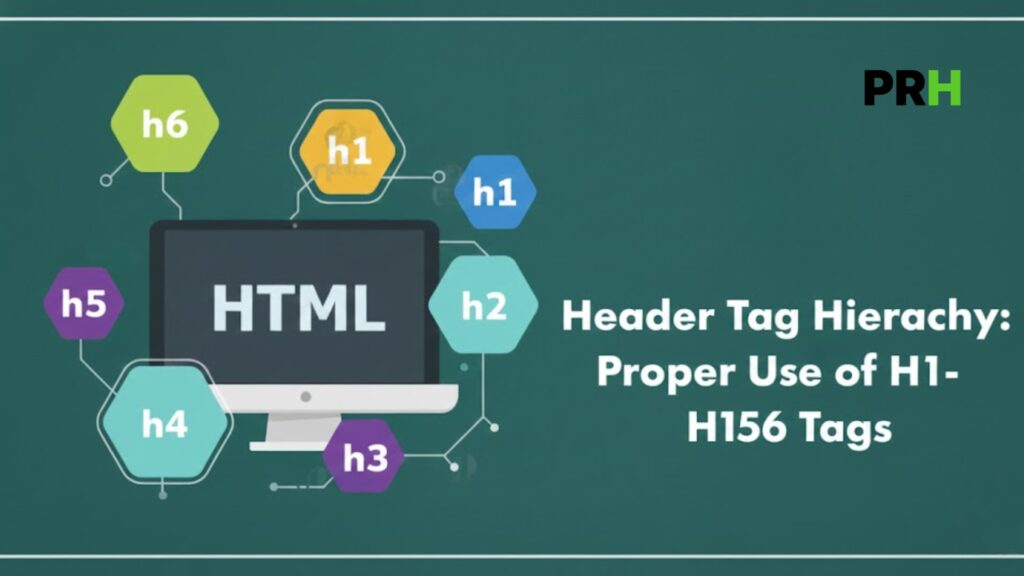
HTML provides six levels of headers, H1 through H6, creating a nested outline structure.
H1: The Page Title
Every page should have exactly one H1 tag representing the main topic or title of that page. Think of H1 as the headline that would appear if your page were a newspaper article.
For party rental websites, H1 tags should clearly identify what each page is about:
- Homepage: “Party Rentals and Bounce House Delivery in [Your City]”
- Category page: “Bounce House Rentals in [Location]”
- Product page: “Blue Castle Bounce House Rental”
- Service area page: “Party Rentals in [Suburb/Neighborhood]”
The H1 establishes the primary topic. Everything else on the page should support or expand on this main topic.
H2: Major Sections
H2 tags mark the primary sections of your content—the main chapters that break down your H1 topic.
For a bounce house category page, H2 sections might include:
- “Bounce House Styles Available”
- “Rental Pricing and Packages”
- “Delivery and Setup Process”
- “Safety Standards and Cleaning”
- “How to Book Your Rental”
Each H2 represents a major aspect of the page’s main topic. Together, they should comprehensively cover what a visitor would want to know about that topic.
H3: Subsections Within Major Sections
H3 tags break down H2 sections into more specific subtopics.
Under an H2 of “Bounce House Styles Available,” H3s might include:
- “Themed Bounce Houses”
- “Combo Units with Slides”
- “Toddler-Friendly Options”
- “Large Capacity Inflatables”
H3s should logically nest under their parent H2. A reader following the hierarchy should understand how each subsection relates to the section above it.
H4-H6: Deeper Nesting
H4, H5, and H6 tags provide additional nesting levels for complex content. Most party rental website pages won’t need to go beyond H3, but these levels exist for content that requires deeper organization.
For instance, under an H3 of “Themed Bounce Houses,” H4s might list specific themes:
- “Princess and Castle Themes”
- “Superhero Bounce Houses”
- “Tropical and Beach Themes”
The key principle is that each level should logically nest within the level above. You shouldn’t have an H4 that doesn’t fall under an H3, or an H3 floating outside any H2 section.

Why Proper Hierarchy Matters for Party Rental SEO
The party rental industry has specific characteristics that make header structure particularly important for search visibility.
Local Search Competition
Most party rental searches are local—parents looking for services in their specific area. In any given market, multiple rental companies compete for the same geographic searches.
Search engines evaluate pages partly based on how comprehensively they cover relevant topics. A bounce house rental page with clear header structure covering availability, pricing, delivery areas, safety, and booking process signals topical depth that can help with rankings.
Competitors with thin content or poor organization may rank lower even if they’ve been in business longer or have more inventory.
Parent Decision Factors
Parents booking party rentals have predictable concerns: safety, reliability, convenience, and value. Your header structure should address these concerns directly.
When headers explicitly cover “Safety Inspection Process” or “What’s Included with Every Rental,” you’re not just organizing content—you’re signaling to both search engines and visitors that your page addresses these important topics.
This alignment between what parents search for, what concerns they have, and how your content is structured creates relevance signals that support both rankings and conversions.
Visual Content Balance
Party rental websites tend to be image-heavy. Photos of bounce houses, water slides, and event setups are essential for helping parents visualize rentals.
Headers provide text structure that balances visual content. Without proper headers, image-heavy pages can appear thin on text content from a search engine perspective. Strategic header use adds semantic structure without overwhelming the visual experience.
Page-by-Page Header Structure for Party Rental Websites
Different page types on your site require different header approaches. These templates provide starting frameworks you can adapt.
Homepage Header Structure
Your homepage introduces your business and services while targeting your primary location and service terms.
Example hierarchy:
H1: Party Rentals and Bounce House Delivery in [Primary Service Area]
- H2: Our Rental Categories
- H3: Bounce Houses
- H3: Water Slides
- H3: Event Equipment
- H2: Why Families Choose [Business Name]
- H2: Service Areas We Cover
- H2: How Our Rental Process Works
The homepage H1 should capture your core offering and primary location. H2s introduce main service categories, trust-building content, geographic coverage, and process information.
Category Page Header Structure
Category pages (bounce houses, water slides, tables and chairs) are often your most valuable for SEO. They target high-volume search terms and need comprehensive coverage.
Example hierarchy for a bounce house category page:
H1: Bounce House Rentals in [Location]
- H2: Bounce House Styles and Sizes
- H3: Standard Bounce Houses
- H3: Themed Character Bounce Houses
- H3: Combo Units with Slides
- H3: Toddler and Small Child Options
- H2: Bounce House Rental Pricing
- H3: Hourly and Day Rates
- H3: Package Deals and Discounts
- H2: Delivery, Setup, and Pickup
- H3: Areas We Deliver To
- H3: What to Expect on Delivery Day
- H2: Safety and Cleanliness Standards
- H3: Our Inspection Process
- H3: Cleaning and Sanitization
- H2: How to Book Your Bounce House
This structure comprehensively covers what parents researching bounce house rentals want to know, organized in a logical flow from selection to booking.
Individual Product Page Header Structure
Product pages for specific rental items need enough structure to be useful without over-complicating what’s often a simpler page.
Example hierarchy:
H1: [Product Name] Rental
- H2: About This [Product Type]
- H2: Specifications and Requirements
- H3: Dimensions and Space Needed
- H3: Power Requirements
- H3: Age and Capacity Guidelines
- H2: What’s Included with This Rental
- H2: Pricing and Availability
The product page H1 should be the specific item name. H2s cover description, practical specifications, inclusions, and booking information.
Location/Service Area Page Header Structure
If you serve multiple cities or neighborhoods, dedicated location pages help capture geographic searches.
Example hierarchy:
H1: Party Rentals in [Specific Location]
- H2: Rentals Available in [Location]
- H3: Bounce Houses
- H3: Water Slides
- H3: Tables, Chairs, and Tents
- H2: Delivery Information for [Location]
- H3: Delivery Fees and Minimums
- H3: Popular Rental Venues in [Location]
- H2: Why [Location] Families Trust [Business Name]
- H2: Book Your [Location] Party Rental
Location pages should mention the specific area throughout the header structure while covering available services and local logistics.
Blog Post Header Structure
Informational blog content requires logical organization that matches the topic being covered.
Example hierarchy for a post about planning a backyard birthday party:
H1: How to Plan a Backyard Birthday Party: Complete Guide
- H2: Choosing the Right Date and Time
- H3: Weather Considerations
- H3: Guest Availability Factors
- H2: Backyard Space Planning
- H3: Measuring Your Available Space
- H3: Layout Options for Different Yard Sizes
- H2: Entertainment and Activities
- H3: Bounce House and Inflatable Options
- H3: Games and Activities by Age Group
- H2: Food and Refreshments
- H2: Party Rental Logistics
- H3: When to Book Rentals
- H3: Setup and Takedown Timing
Blog posts should follow natural topic organization. Headers break the content into digestible sections that help readers navigate to their specific interests.
Common Header Tag Mistakes and How to Avoid Them
Understanding common errors helps you audit your own site and prevent problems.
Using Multiple H1 Tags
Each page should have exactly one H1. Multiple H1s confuse the hierarchy and dilute the primary topic signal.
This mistake often happens when website themes style certain elements (like widget titles) as H1, or when business owners treat H1 as a design choice rather than a structural one.
Audit your pages to ensure only one H1 exists per page, and that it accurately represents the page’s main topic.
Skipping Hierarchy Levels
Jumping from H1 directly to H3, or from H2 to H4, breaks the logical structure. Each level should nest within the level above it.
Incorrect:
- H1: Bounce House Rentals
- H3: Themed Options (skipped H2)
- H3: Pricing (skipped H2)
Correct:
- H1: Bounce House Rentals
- H2: Bounce House Selection
- H3: Themed Options
- H2: Rental Pricing
- H2: Bounce House Selection
If you find yourself wanting to skip levels, reconsider your content organization. Usually, there’s a logical H2 section that should contain those H3 subsections.
Using Headers for Styling Only
Headers should reflect content organization, not visual preferences. Using an H2 because you want larger text, or avoiding headers because you don’t like how they look, prioritizes appearance over function.
If you need different text styling, use CSS to adjust how headers appear rather than misusing header levels. Your H2s can look however you want—what matters is that they’re used to mark genuine H2-level sections.
Creating Headers That Don’t Match Content
Headers should accurately describe the content that follows them. A header of “Our Guarantee” followed by information about delivery schedules creates confusion.
Each header should serve as an accurate preview of its section content. If you change section content, update the header to match.
Inconsistent Header Usage Across Pages
Your website should have consistent header patterns across similar page types. All product pages should follow a similar structure. All location pages should use comparable organization.
Inconsistency makes your site harder for search engines to understand and harder for visitors to navigate. Create templates for each page type and apply them consistently.
Keyword Stuffing in Headers
While headers should include relevant terms, stuffing them with keywords makes them awkward and potentially triggers spam signals.
Stuffed: “Dallas Bounce House Rentals Dallas TX Bounce Houses for Rent Dallas”
Natural: “Bounce House Rentals in Dallas”
Write headers for humans first. Include location and service terms naturally, but prioritize clarity and readability.
Implementing Better Header Structure
Moving from understanding to implementation requires a systematic approach.
Audit Your Current Headers
Before making changes, understand your starting point. Review your main pages and document:
- How many H1 tags each page has
- Whether H2-H6 tags are used consistently
- Whether the hierarchy is logical (no skipped levels)
- Whether headers accurately describe their sections
- Whether similar page types use consistent structures
Free browser extensions can show you header structure on any page, making audits straightforward.
Create Page Templates
Develop standard header templates for each page type on your site:
- Homepage structure
- Category page structure
- Product page structure
- Location page structure
- Blog post structure
These templates ensure consistency and make creating new pages faster.
Update Existing Pages
Working through priority pages first, update header structures to follow your templates. Focus on:
- Ensuring exactly one H1 per page
- Adding missing H2 sections for major topics
- Breaking long sections into H3 subsections where appropriate
- Removing duplicate or skipped heading levels
Changes can be made gradually—you don’t need to update every page at once.
Maintain Standards for New Content
As you add new pages, apply your templates from the start. It’s easier to build proper structure initially than to fix it later.
Brief anyone who creates content for your website on header standards. Consistent application across all contributors maintains site-wide quality.
Headers and Mobile User Experience
The majority of party rental searches happen on mobile devices. Header structure significantly impacts mobile usability.
Scannability on Small Screens
On a phone screen, walls of text are particularly difficult to navigate. Headers create visual breaks that help mobile users find information quickly.
Mobile users often scroll rapidly, watching for headers that match their interest. Clear, descriptive headers support this scanning behavior.
Touch Navigation
Some mobile users tap headers expecting them to be links or interactive elements. While headers aren’t inherently clickable, ensuring your page structure is logical helps users find content even when jumping around the page.
Load Time Considerations
Headers are lightweight—they don’t slow page loading. Proper header structure can actually reduce page weight compared to using images or styled divs for sectioning, supporting the fast load times mobile users expect.

Connecting Headers to Overall Content Strategy
Header structure works best as part of a comprehensive content approach.
Supporting Comprehensive Content
Good headers require good content to introduce. If you’re adding H2 sections for “Safety Standards” or “Service Areas,” those sections need substantive content underneath.
Header planning often reveals content gaps. If your bounce house page lacks a clear section on safety, that’s both a header opportunity and a content opportunity.
Keyword Alignment
Your keyword strategy should inform header choices. If you’re targeting “bounce house rental [city],” your H1 should include that phrase. If secondary keywords include “inflatable rental” or “party equipment,” H2 or H3 sections might incorporate those terms.
This doesn’t mean forcing keywords where they don’t fit—it means aligning your natural content organization with terms parents actually search for.
Internal Linking Opportunities
Clear header sections create natural anchor points for internal links. You might link from a blog post about birthday party planning directly to the “Safety Standards” section of your bounce house page.
This sectioned approach helps visitors find specific information and distributes link value throughout your pages.
Measuring the Impact of Header Improvements
After implementing better header structure, monitoring results helps validate your efforts.
Search Console Data
Google Search Console shows how your pages perform in search results. Watch for changes in impressions and click-through rates for pages with updated header structure.
Improvements may take weeks to appear as search engines re-crawl and re-evaluate your pages.
User Behavior Metrics
Analytics tools show how visitors interact with your pages. Look for:
- Decreased bounce rates (visitors staying rather than immediately leaving)
- Increased time on page
- Higher conversion rates (quote requests, bookings)
Better-organized content typically improves these metrics as visitors find information more easily.
Ranking Changes
Track rankings for target keywords associated with pages you’ve optimized. While header structure is one of many ranking factors, improved organization often correlates with ranking gains over time.
Building Long-Term Structure Habits
Header optimization isn’t a one-time project. Building ongoing habits maintains quality as your site grows.
Plan headers before writing content. Outlining your header structure first ensures logical organization rather than retrofitting structure onto finished content.
Review headers during regular site audits. As content evolves, headers may need updates to remain accurate and effective.
Train team members on header standards. Anyone adding content to your site should understand and apply consistent header practices.
Treat headers as part of the user experience, not just an SEO checkbox. The best header structures genuinely help visitors navigate your content—search benefits follow from that user-focused foundation.
The party rental businesses that build strong online presence attend to details like header structure. These foundational elements may seem technical, but they directly support the visibility and user experience that drive bookings. Proper header hierarchy makes your content more accessible to both search engines and the parents you’re trying to reach.